
Blog > AI Document Classification with MetaServer
AI Document Classification with MetaServer
Every business that deals with document-heavy processes knows the pain. A file arrives containing a mix of different document types, in no particular order.
Someone has to manually sort through it before any real work can begin. MetaServer's Custom Classification module eliminates can help here.
Have a look at the demo video here below, illustrating how MetaServer handles this scenario with the unsurpassed power of AI document intelligence.
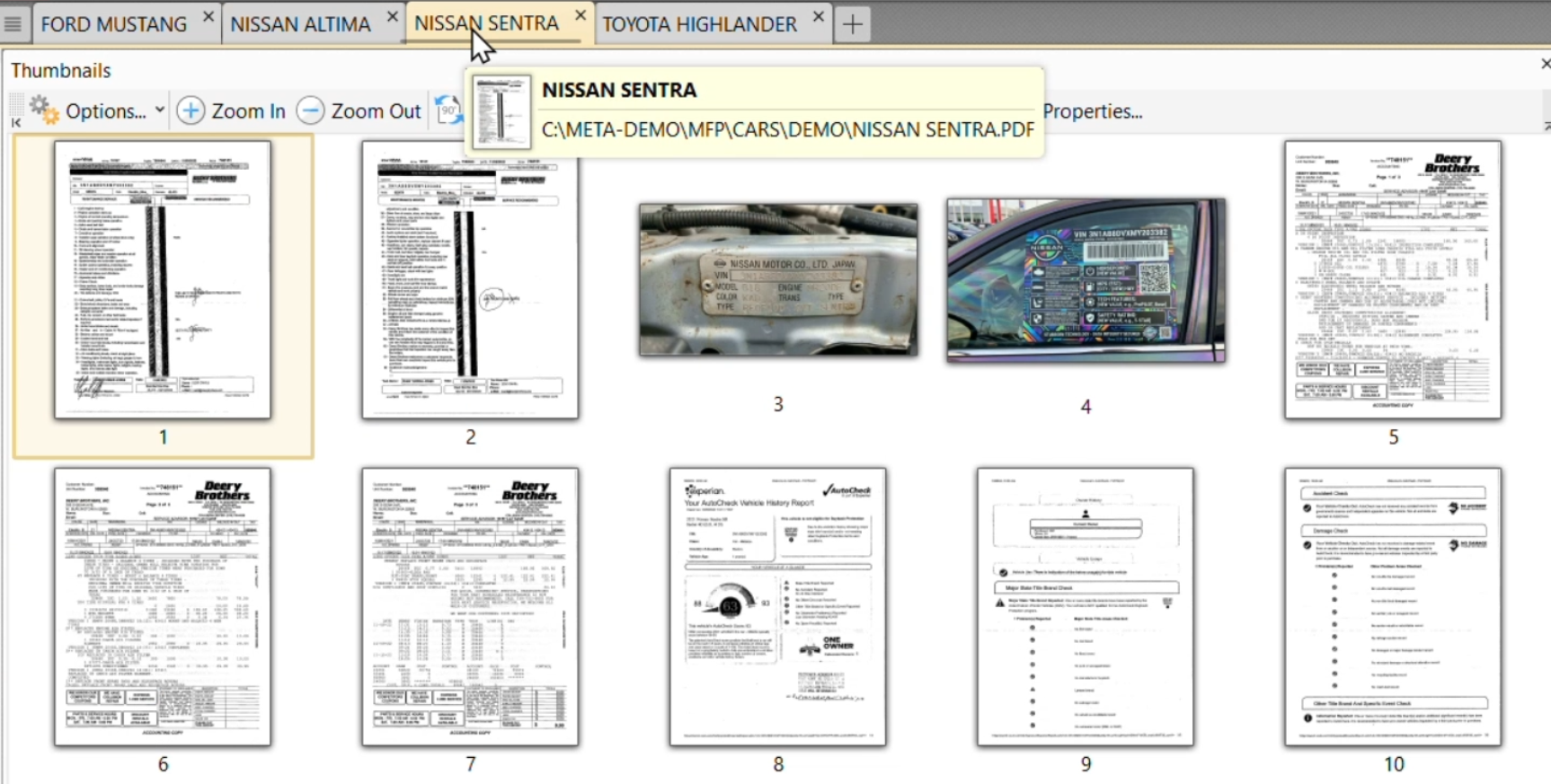
In the demo video you will see we are processing a "used car" file. A single PDF contains a variety of document types such as:
- A car title
- Repair orders
- Warranty information
- Registration tags
- A window sticker with the vehicle's original specs
- A history report
- An inspection report
- Odometer records
All of these document are bundled together in one file, in no particular sequence. Before any of that information can be processed, each of these documents needs to be identified and separated.
That's exactly where we use the power of AI document intelligence's Custom Classification.
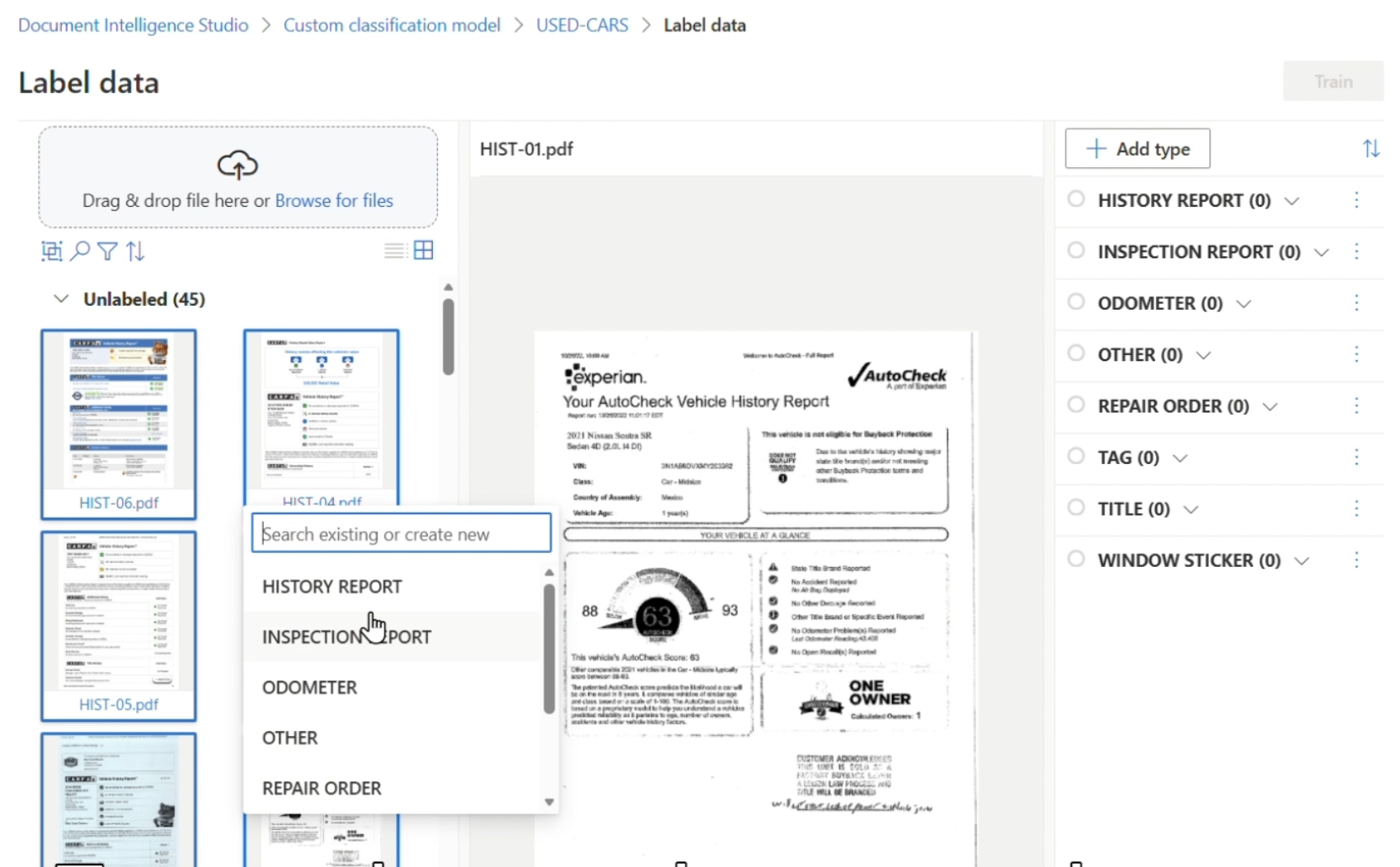
MetaServer's Custom Classification module is powered by Microsoft Azure AI Document Intelligence. Using it requires no coding, no complex setup and no technical background. The training process is straightforward. You collect 5 (or more) sample documents per document type and upload them to the Microsoft Azure AI Document Intelligence Studio.
Now it's a matter of dragging, dropping and tagging each document sample to tell the system what it's looking at. When processing more complex document types, you can supply additional samples to improve accuracy.
Once your samples are tagged, you hit Train. The classification model learns the visual and structural characteristics of each document type.
From that point on, it knows the DNA of each document type and understands what it's looking at.
After training the classification model, you feed MetaServer a single PDF containing a mixture of document types in no particular order.
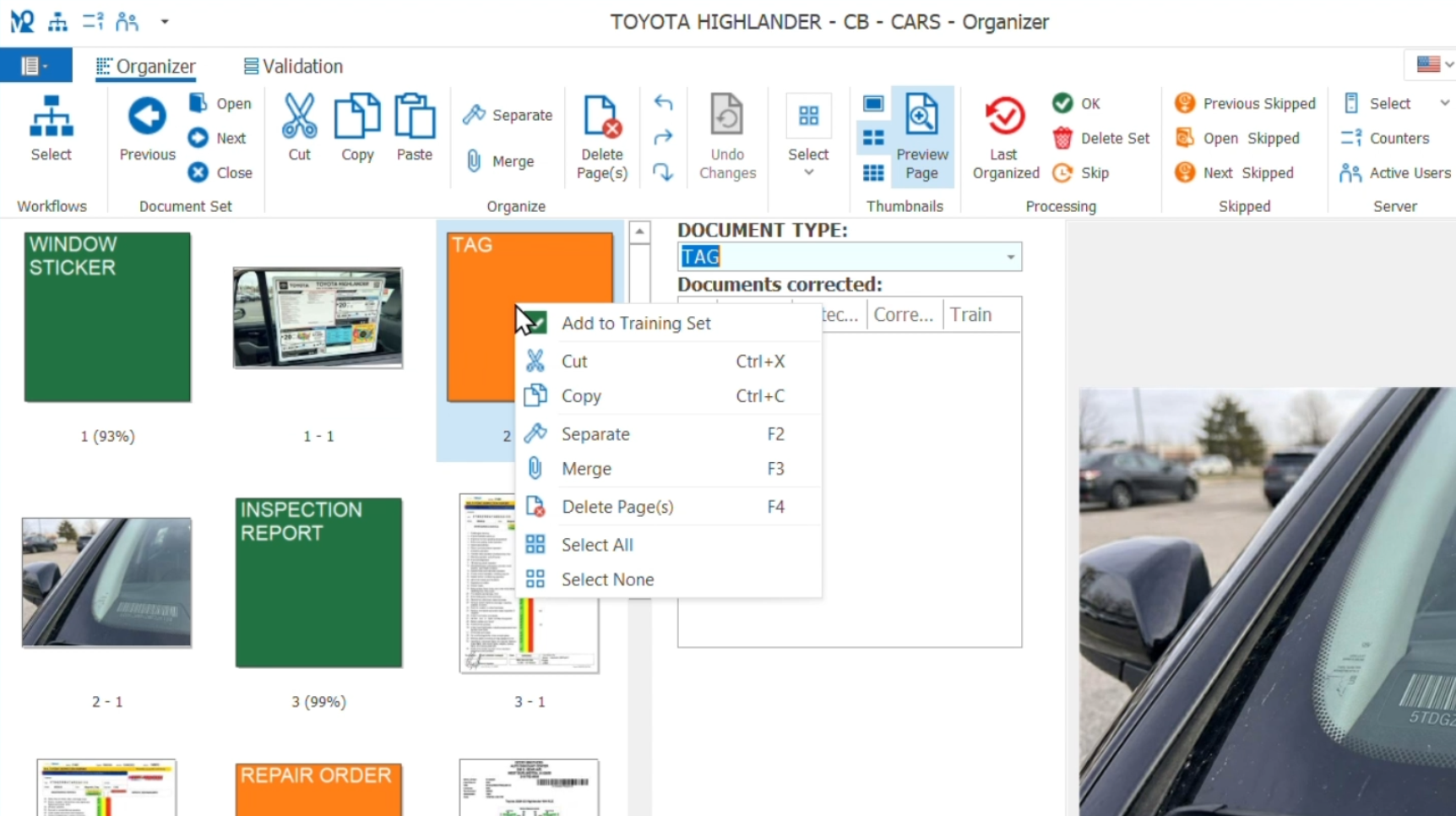
MetaServer uses the classification model as its guide, automatically identifying the start and end of each document within the file and instantly separating and classifying every page.
No separator sheets, no manual sorting and no human intervention required.
If MetaServer encounters a document it's not confident about enough, it flags it and shows it in the Organizer as orang. This gives an operator the chance to double-check the document.
This is not a failure, it's a deliberate safeguard. It prevents unverified documents from entering your workflow and pinpoints exactly where the model needs more training.
Improving an existing classification model is just as simple: add the flagged documents to your training set in Microsoft Azure AI Document Intelligence Studio, retrain and your model gets updated. The more exceptions you teach your classification model, the more accurate it becomes.
Custom Classification with MetaServer turns a mixed document file automatically into a cleanly separated set of records.
It's fast to set up, easy to improve and built to get better over time. For any business processing multi-document files, it's one of the most immediate gains the platform delivers.