
Blog > How automated document workflows actually work
Searchable PDF vs. PDF/A: what's the difference
"Just export it as searchable PDF" and "we need PDF/A for archiving" get used in a lot of scanning projects. The two aren't the same thing, they solve different problems and mixing them up causes real headaches down the line. Here's the actual distinction.
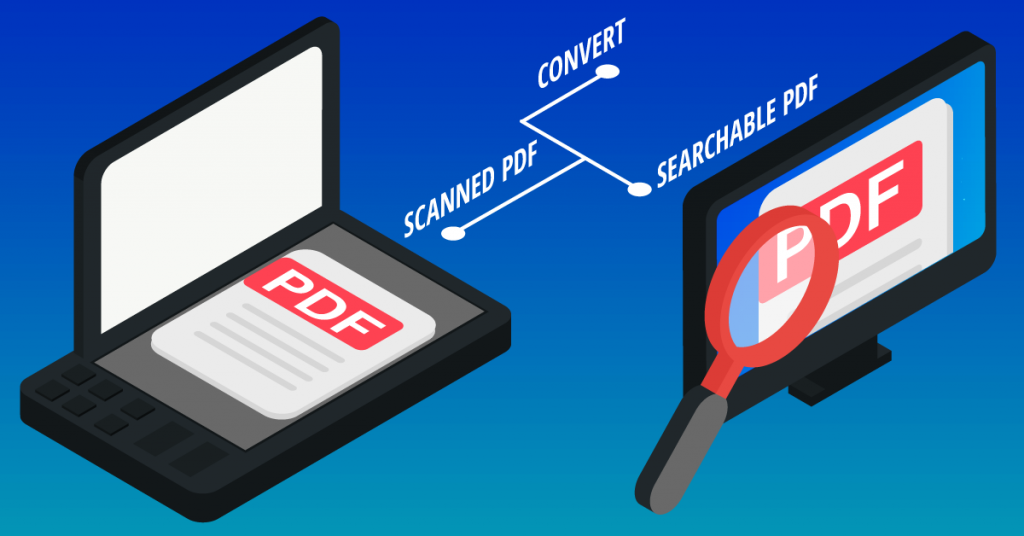
A scanned document, by default, is just a picture of a page. The scanner captures pixels, not text. So you can't search it, copy text out of it or have systems read the content. A searchable PDF fixes that by running OCR (optical character recognition) over the scanned image and embedding an invisible text layer behind it.
The result looks identical to the original scan, but now:
- You can search for a word and jump straight to it.
- You can copy and paste text out of the document.
- Systems can read and index the content instead of just storing a flat image.
That's it. Searchable PDF is about making content usable, findable, extractable and indexable.
PDF/A is an ISO-standardized subset of the PDF format (ISO 19005), purpose-built for long-term archiving. The core idea: a PDF/A file must be viewable exactly the same way, decades from now, regardless of what software or fonts exist by then. To guarantee that, PDF/A imposes restrictions that regular PDF doesn't:
- Fonts must be embedded. The file can't rely on a font being installed on the viewer's system. If it's not embedded, it's not valid PDF/A.
- No external dependencies. No links to external content, no embedded JavaScript, no audio/video, no encryption that could lock out future access.
- Consistent color and layout definitions. Color spaces must be explicitly defined so the document renders the same way on any compliant viewer, indefinitely.
- No reliance on external resources. Everything the document needs to render correctly has to live inside the file itself.
There are several PDF/A conformance levels, but the underlying goal is the same across all of them: guarantee the document opens and looks the same in 20 years as it does today.
Crucially, PDF/A doesn't automatically mean searchable. A scanned image can be wrapped in a fully valid PDF/A container and still be an unsearchable picture with no text layer at all, if OCR was never run on it. The two properties are independent of each other.
The confusion exists because, in practice, most PDF/A files are also searchable, because most organizations running an archiving process also want the content indexed and findable, so they OCR the document and add the text layer as part of the same capture workflow. That combination is common enough that people start treating "searchable" and "PDF/A" as synonyms.
They aren't:
|
Searchable PDF |
PDF/A |
|
|
Solves |
Findability, text extraction |
Long-term readability, format stability |
|
Requires OCR |
Yes, by definition |
No, a PDF/A file can be a plain image with no text layer |
|
Guarantees future readability |
No |
Yes, by design |
|
Governed by a standard |
No |
Yes (ISO 19005) |
|
Typical use case |
Day-to-day document search and processing |
Legal/regulatory archiving, records retention |
It depends on what happens to the document after capture:
- If the document just needs to be found and read: internal correspondence, working files, anything without a formal retention requirement, searchable PDF alone is usually enough.
- If the document is subject to retention rules: invoices, contracts, HR files, anything with a legal retention period or audit requirement, you need PDF/A, because it's the only one of the two that guarantees the file will still be valid and openable when someone needs it in 7 or 10 years.
- If it's both, you want a searchable PDF/A: OCR applied for the text layer, exported in a valid PDF/A conformance level for compliant archiving. This is the standard target for most invoice, contract and HR document archiving projects.
Getting it right during capture
The safest approach is to generate both properties in the same capture step, rather than as an afterthought:
- Run OCR during capture so the text layer is embedded from the start, not bolted on later.
- Export directly to a validated PDF/A conformance level (commonly PDF/A-1b or PDF/A-2b for standard business archiving) rather than converting a regular PDF after the fact.
- Validate the output against the PDF/A specification before it lands in the archive.
- Keep the two goals distinct in your export configuration: searchability comes from the OCR step, compliance comes from the PDF/A export settings. Treating them as one setting is usually where mistakes happen.
CaptureBites' MetaServer handles both in the same capture pipeline: OCR for a searchable text layer and export to compliant PDF/A.